How to Set Up a Safe Workstation (UK Guide)
Poor workstation setup is one of the most common causes of workplace discomfort—and over time, it can lead to more serious injuries.
From back pain and neck strain to repetitive strain injuries, many of these issues develop gradually due to how a workstation is set up and used each day.
The good news is that most problems are preventable. With a few simple adjustments, you can create a safer, more comfortable working environment that supports both wellbeing and productivity.
Why Workstation Setup Matters
Workstation safety falls under the Display Screen Equipment (DSE) Regulations in the UK. Employers have a legal duty to ensure that workstations are assessed and suitable for the people using them.
A poorly set up workstation can place unnecessary strain on the body. Over time, this can lead to discomfort, fatigue, and long-term musculoskeletal issues.
Getting the setup right helps reduce risk while improving focus and efficiency.
Chair Setup: Your Foundation
Your chair is the starting point for a safe workstation.
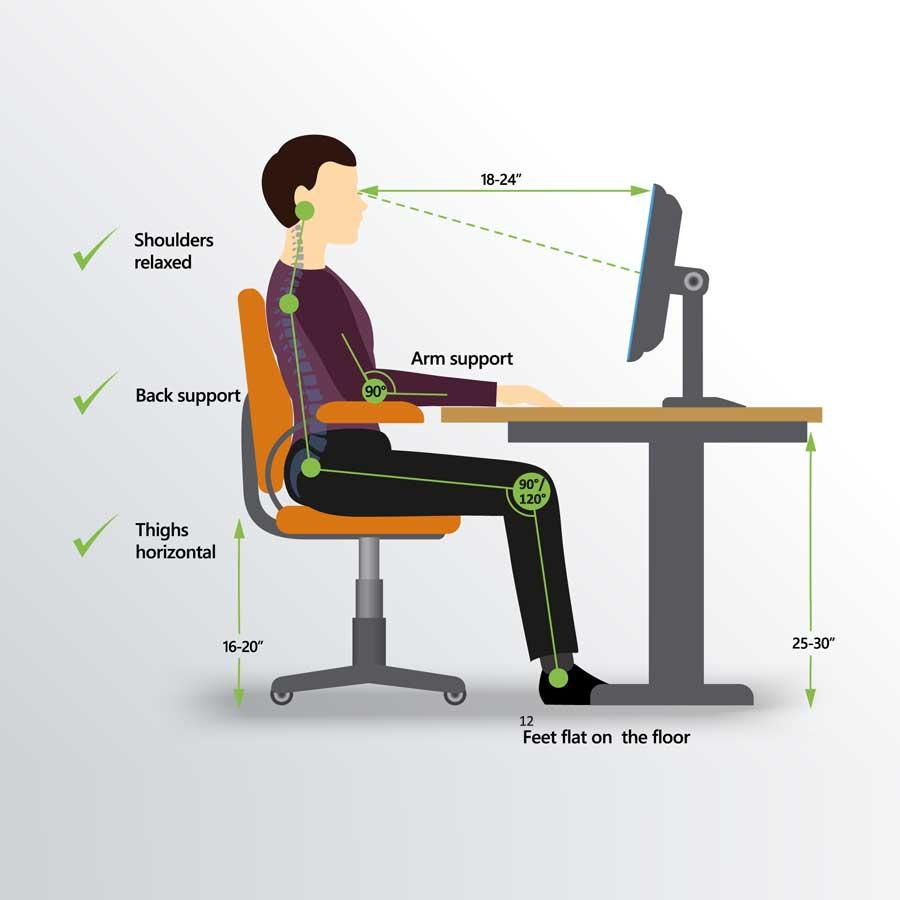
It should be adjusted so that your feet are flat on the floor and your knees are roughly level with your hips. Your lower back should be supported, either by the chair itself or with additional lumbar support if needed.
Sitting too low or too high can place strain on your back and legs, so small adjustments can make a big difference.
Screen Position
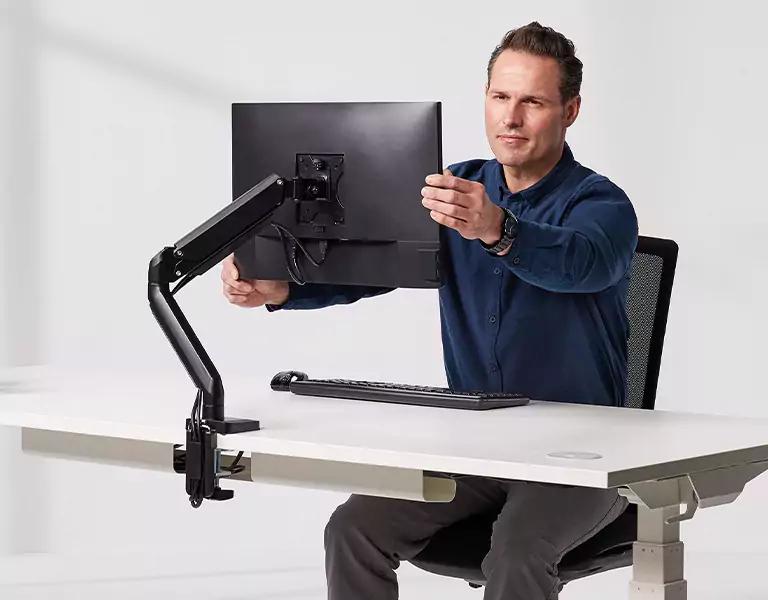
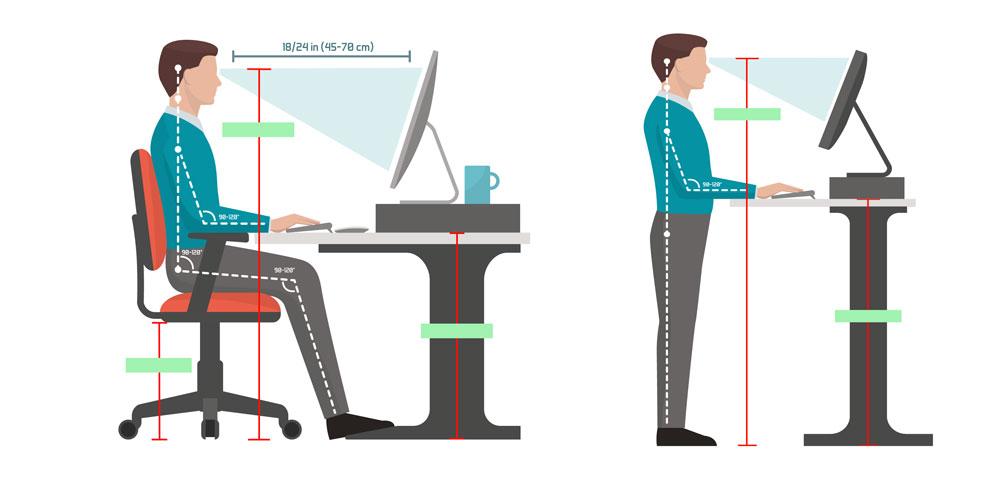
Your screen should be positioned directly in front of you, with the top of the screen roughly at eye level.
If the screen is too low, you may find yourself bending your neck forward. If it is too high, it can cause strain in the opposite direction.
Keeping the screen at the correct height helps maintain a neutral posture and reduces unnecessary tension.
Keyboard and Mouse Position
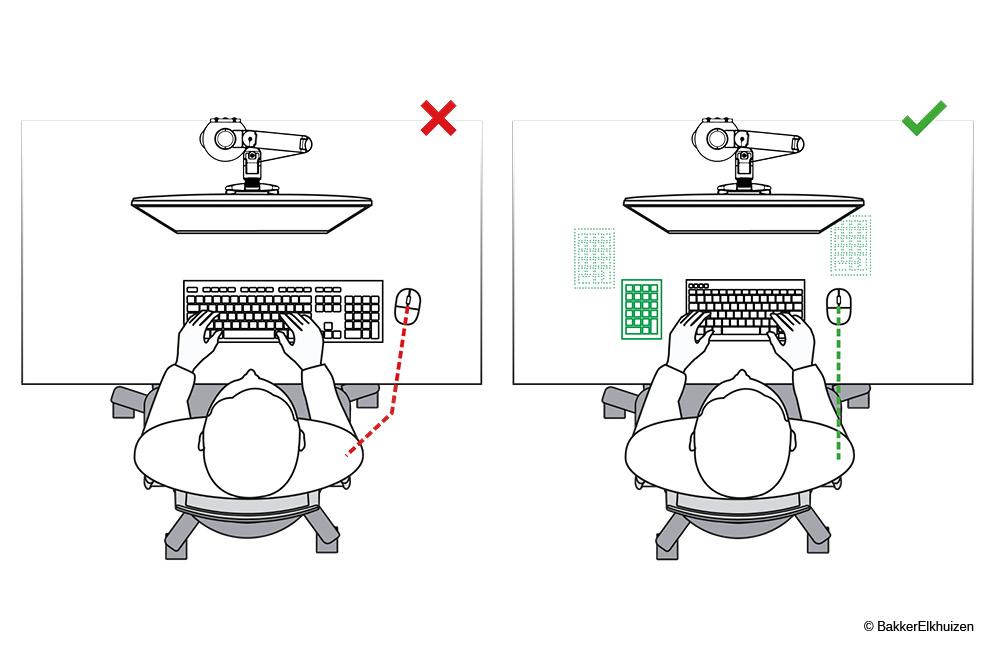
Your keyboard and mouse should be placed close enough so that your elbows remain by your sides and your arms form roughly a right angle.
Wrists should be kept in a neutral position, not bent up or down. Reaching forward or working at awkward angles can lead to strain over time.
Keeping everything within easy reach supports a more natural and comfortable working position.
Posture and Movement
Even with a well-set-up workstation, staying in the same position for long periods can lead to discomfort.
Good posture means sitting upright with your back supported, shoulders relaxed, and feet flat on the floor. However, movement is just as important as posture.
Regular breaks, stretching, and changing position throughout the day help reduce fatigue and improve circulation.
Common Workstation Mistakes
Many workstation issues come from small habits that build up over time.
This might include working on a laptop without proper support, slouching in a chair, or positioning the screen too far away. In some cases, employees may not adjust their chair or desk at all, simply working with what is already in place.
These issues are often easy to fix once identified, which is why regular workstation assessments are so important.
Why This Matters
Poor workstation setup can lead to reduced productivity, increased absence, and long-term health problems if left unaddressed.
For employers, this can also create compliance risks under UK health and safety regulations.
Taking a proactive approach helps prevent injury while creating a more comfortable and effective working environment.
Final Thoughts
A safe workstation is not about expensive equipment—it is about making simple, practical adjustments that support how people work.
By setting up workstations correctly and encouraging good habits, businesses can reduce risk, improve wellbeing, and maintain compliance with DSE requirements.
Need Help with Workstation Assessments?
Ensuring every workstation is set up correctly can be challenging, particularly across larger teams or multiple locations.
At Ironleaf Safety Strategies, we provide practical workstation assessments and ergonomic guidance to help you reduce risk and stay compliant with UK regulations.
Whether you need support with DSE assessments or wider health and safety support, we can help you create a safer, more comfortable workplace.